
Open source · Local-first · Free

The whole dev day,
on one desk.

Perci is an open-source desktop workspace for working developers — AI chat across every major provider, parallel coding agents, and the daily essentials: ports, keys, notes, containers, databases, bills. Around fifty surfaces. One dock.

macOS & Windows · MIT licensed

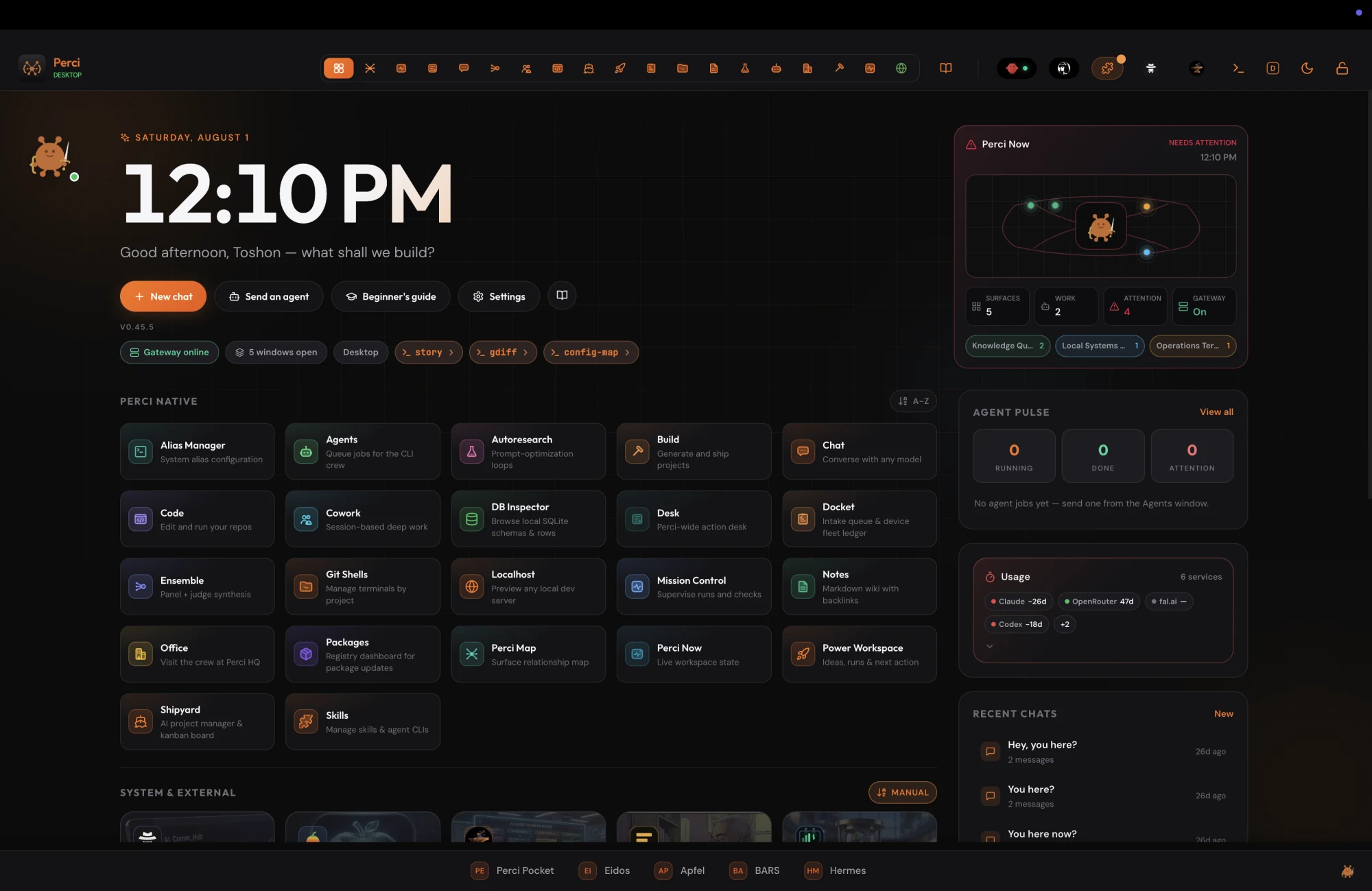
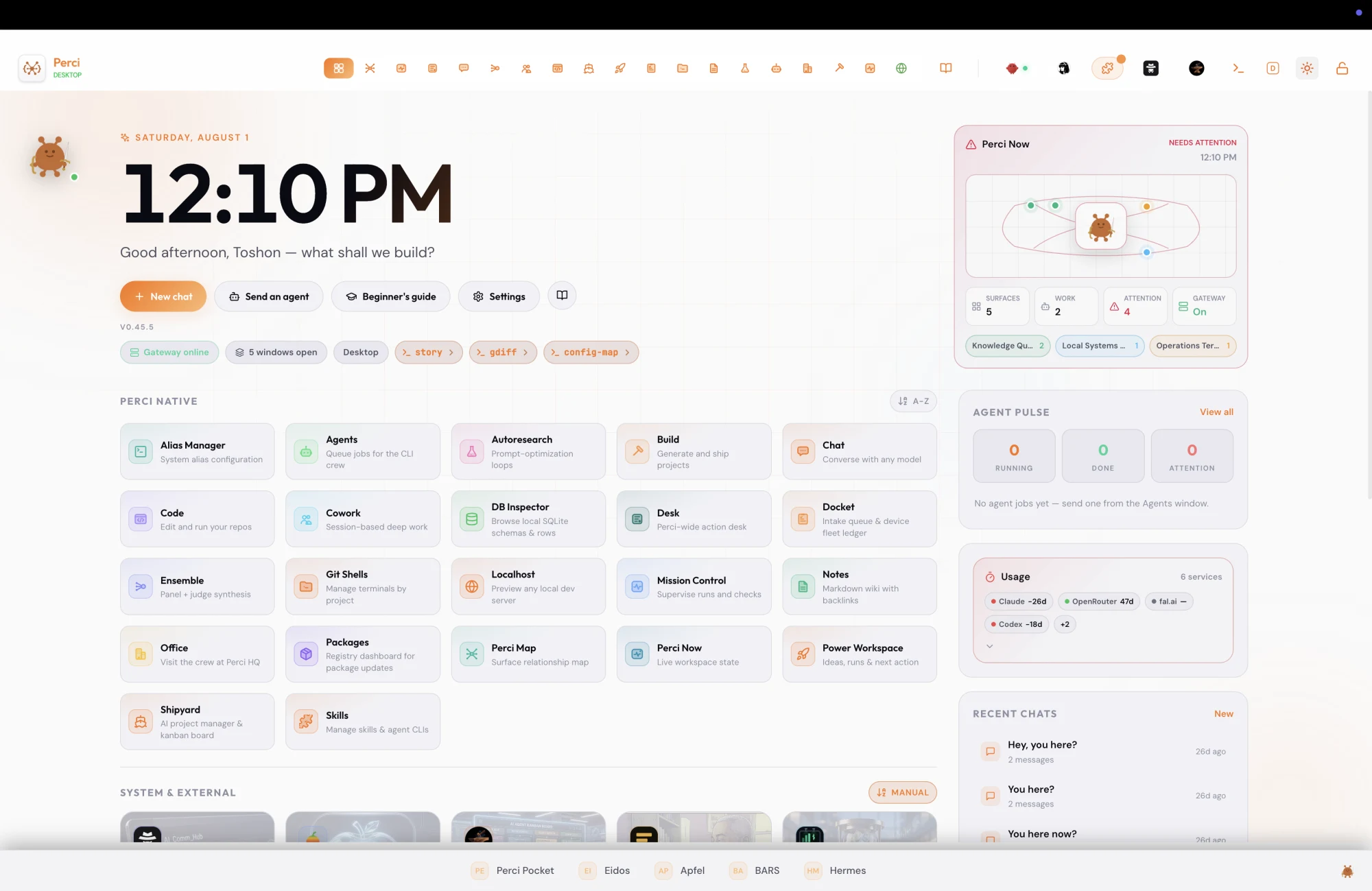
Perci — desktop
The Perci desktop in dark mode: an app bar with a large clock, a grid of Perci Native tool tiles, a right rail with Perci Now, Agent Pulse, usage and recent chats, and the dock along the bottom. The same Perci desktop in light mode — identical layout on a warm off-white background.
~50surfaces on the desk
8AI providers, cloud & local
On-devicekey encryption
MITlicensed, source open

The toolkit

Every tool you reach for. One dock.

The tools you actually reach for between prompts. Not integrations — first-class windows.

Perci — floating windows
Two Perci windows floating over the desktop — Lighthouse showing a table of active local ports, and Packages showing registry versions — with the dock along the bottom.

Lighthouse

Scan ports and catch conflicts before they bite.
KeySafe

API keys and recovery codes, encrypted on-device.

Workspace Notes

Markdown wiki with backlinks and a graph view.

Bill Board

Every service, subscription, and key you pay for.

Containers

Docker with backup-gated removal. Nothing deleted before it’s saved.

DB Inspector

Browse local SQLite schemas and rows.

Localhost

Preview any local dev server in a window.

Git Shells

Terminals, organized by project.

GitHub Overview

Commits, CI, alerts, and PRs across your repos.

Packages

A registry dashboard for what needs updating.

Alias Manager

Your shell aliases, managed.

Cleanmac

Clear developer caches: npm, brew, Xcode, Docker, more.

The AI workspace

Built for people who work with models — not just talk to them.

Underneath the toolkit is a full AI workspace.

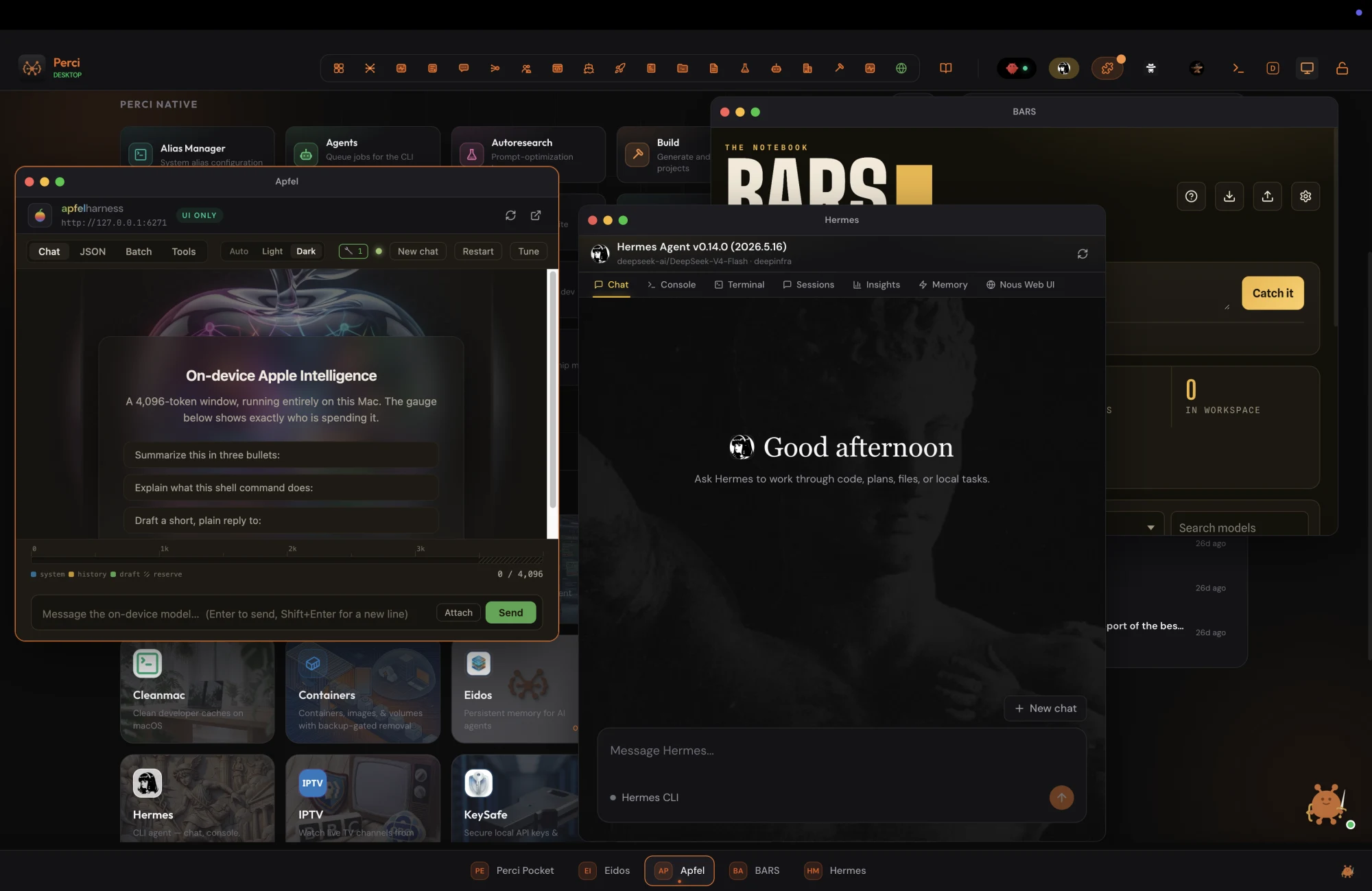
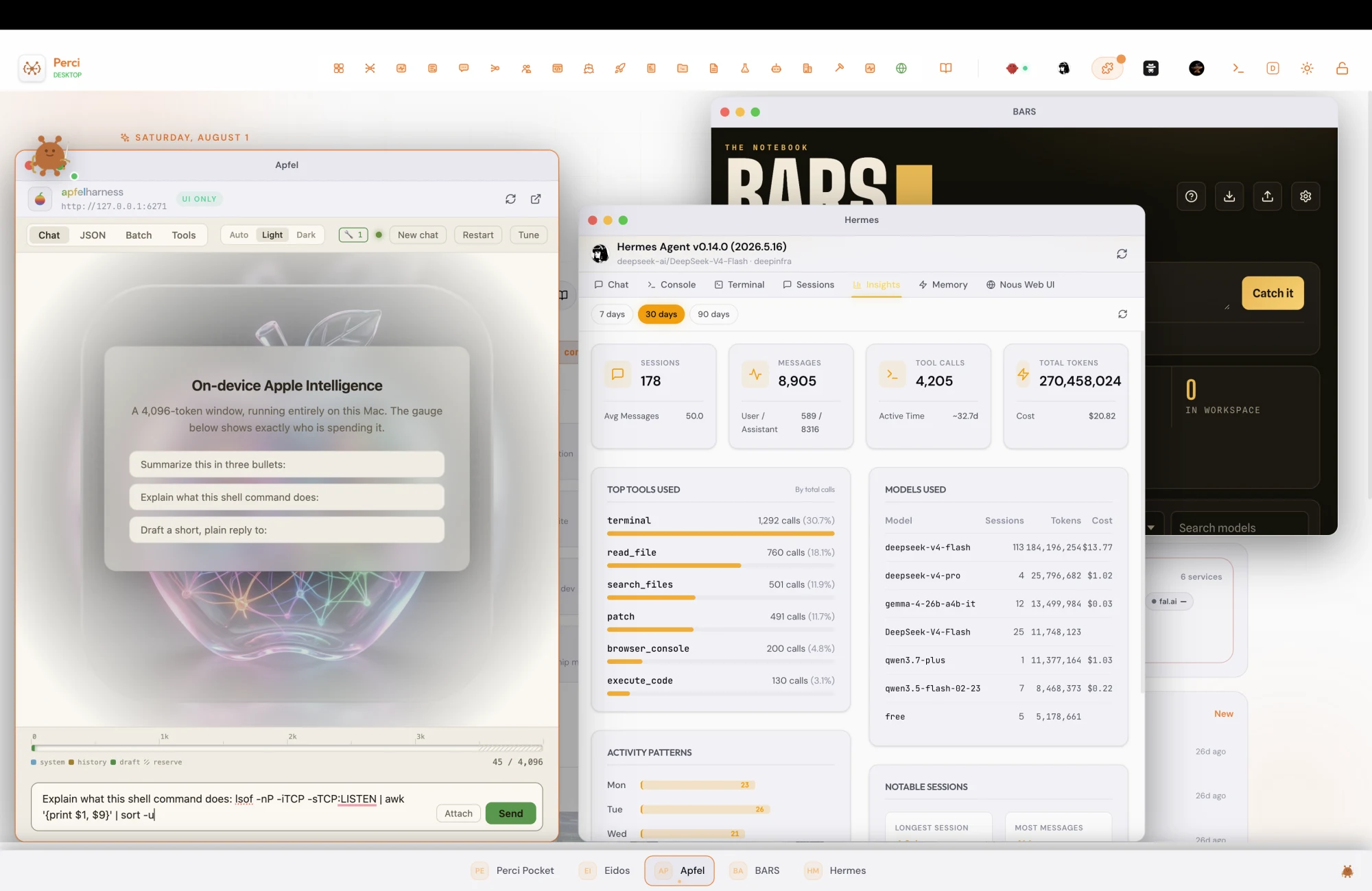
Perci — on-device AI
Three Perci windows side by side: Apfel running Apple Intelligence entirely on-device, with a shell command typed into its prompt and a gauge showing 45 of 4,096 tokens used; Hermes showing thirty days of agent usage — sessions, tool calls and tokens by model; and the BARS notebook behind them.
A local model explaining a shell command, beside thirty days of agent usage. Neither needed a browser tab.

Chat, any model

OpenAI, Anthropic, Gemini, Groq, DeepSeek — or local via Ollama, LM Studio, and vLLM. One interface, your pick per task.

Cowork

Run coding agents — Claude Code, Aider, Codex, Cursor CLI — in parallel, each in its own workspace.

Mission Control

Supervise agent runs on a transit map: every step, every state change, visible.

Ensemble

Ask a panel of models, let a judge weigh them, ship the synthesis.

Shipyard

An AI project manager over a kanban board, wired to GitHub.

Deep Research

An autonomous research loop that keeps digging and returns cited reports.

Artifacts & Live Preview

Generated code opens beside the chat, running — iterate on software, not on descriptions of it.

Persistent memory

Eidos gives agents memory that survives the session.

The story

From a fork nobody would bet on

Perci started life as a fork of a rough open-source take on Claude Desktop. The chat window survived. Almost nothing else did. Tool by tool, window by window, it grew into the thing its builder actually wanted: one place where the whole working day happens.

It’s still open source, still local-first, and still growing.

Forked from Open-claude by Damien Chakma · Integrates OpenClaw

Free. Not “free for now.”

Perci, as it exists today, is free and open source — and it will stay that way. Somewhere down the road there may be a Perci Pro subscription with expanded features. But everything you see here stays free. No trial clocks, no rug pulls, no features quietly moving behind a paywall.

Pro, if it happens, will be additive — for people who want more, not a toll on people who don’t.

The Perci mascot — a round orange creature holding a sword and a curly brace.

Keys never leave

Encrypted with the OS keychain via Electron safeStorage. They’re never sent to a server.

Local models, first-class

Ollama, LM Studio, and vLLM sit beside the cloud providers — same windows, same dock.

MIT licensed

The source is right there. Read it, fork it, keep it.

Get started

On your desk in four commands

zsh — perci
git clone https://github.com/toshon-jennings/perci.git
cd perci
npm install
npm run electron:dev

Or grab a build for macOS or Windows latest release